


Indoor Plant Guide Pocket Ed.
4.638.00 Reviews
App Specs
- Version
- 4.17
- Updated On
- License
- $2.99
- Downloads
- 10,000+
- Developer
- M.Stevens
- Categories
- House & Home
- Platform
- Android
Screenshots
 Analysis by AppCompare
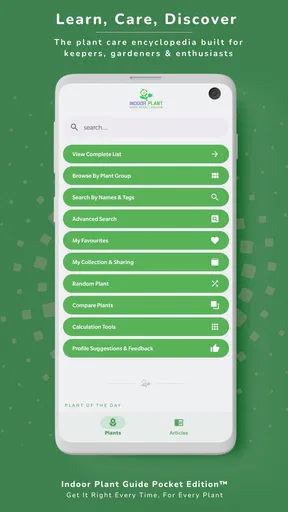
I have always found plant care harder than it looks. Watering seems simple until one plant starts drooping, another develops pale leaves, and a third appears perfectly healthy despite being treated in exactly the same way. Indoor Plant Guide Pocket Ed. is designed for that everyday uncertainty: it is a paid House & Home app from M.Stevens that brings plant-care guidance for houseplants, indoor plants, garden plants, and flowers into a compact reference.
After spending time with it, I see it less as a decorative plant encyclopedia and more as a practical decision aid. Its value depends on whether you want tailored guidance close at hand, rather than a stream of general tips from search engines or social media. The app costs $2.99, is suitable for Everyone, and runs on Android devices using version 6.0 or later. That makes it an approachable option for someone who wants a focused tool without committing to a subscription-style service.
What I looked for when judging its usefulness
My main question was not simply whether the app contains plant information. Many alternatives can do that. The more useful question is whether the guidance helps me make a better decision when a plant is struggling. I looked at how naturally the app fits into ordinary routines, whether its advice can be applied to different growing situations, and whether it is convenient enough to open before reaching for a web search.
I also considered the kind of plant owner who benefits most. A beginner needs clear direction without being buried in specialist vocabulary. Someone with a growing collection needs a quick way to check different care requirements. A more experienced gardener may instead want detailed diagnosis, local weather context, or highly specific cultivation information. Those are different needs, and a pocket guide should not be judged as though it were a complete gardening laboratory.
The app’s presentation is especially relevant because plant care is often done with dirty hands, limited time, and a problem already developing. A useful guide should help me move from “something looks wrong” to a sensible next step. It should also encourage observation: light exposure, soil condition, watering habits, and seasonal changes can matter as much as the plant’s name.
That is where I think this app makes a sensible choice for many casual growers. It keeps the subject centered on care rather than turning plant ownership into a social activity. I do not open it for inspiration or community discussion. I open it when I need a reference point before changing a plant’s routine.
A practical fit for mixed plant collections
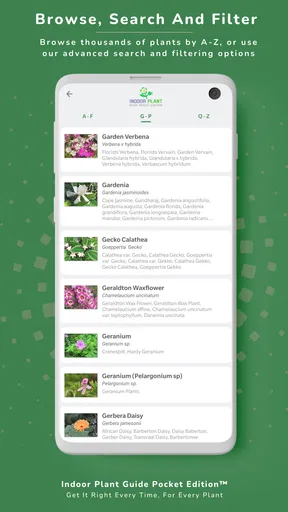
The broad coverage is one of its strongest advantages. A home collection rarely stays within one neat group. I might have a foliage plant in a dim room, herbs near a bright window, flowering plants on a balcony, and garden specimens that follow a completely different schedule. A guide that recognizes houseplants, indoor plants, garden plants, and flowers is more useful in that situation than a tool built around only one type of greenery.
Worth Reading Before You Choose

EA SPORTS FC Mobile 26 Is a Bigger Football Game, but It Takes Time

Flipboard Shows What News Apps Must Do Beyond the Feed

Switching to Android Auto Means Rethinking Your Driving Routine

Google Calendar Makes a Crowded Week Easier to Manage

Ludo King Makes the Most of the Minutes Between Plans

Baby Panda World Brings Quick Play to Modern Phones, but Its Game Library Feels Busy
That breadth also creates an important responsibility for the user. I should not treat every recommendation as universal. Two plants can both be described as indoor plants while having very different tolerances for direct light, dry air, or wet soil. I found the best way to use the app was to read its guidance as a starting framework, then compare it with what I could actually observe in my room or garden.
A helpful habit is to check the guide before making a dramatic change. If a plant is losing leaves, moving it immediately to the brightest window or watering it heavily may make matters worse. I prefer to use the app to slow that reaction down: identify the likely care area first, then change one factor at a time. That workflow is more valuable than collecting a long list of tips I never apply.
How I would use it during a normal week
Imagine I notice that a plant beside the living-room window has soft leaves on a Sunday evening. I would first inspect the soil and the amount of light it receives, then use the relevant care guidance in the app before watering automatically. If the plant has recently been moved, the problem may not be simple thirst. A reference like this is useful because it encourages me to connect the symptom with the plant’s broader conditions.
On another day, I might be preparing to bring a garden plant indoors as the weather changes. Instead of relying on a single remembered rule, I could use the guide to review the plant’s basic needs and plan a gradual adjustment. The app does not replace attention, but it can make that attention more organized.
My favorite use case is the quick check before buying a plant. If I know that a room receives weak natural light or that I often forget watering, I can consult the guide and decide whether a particular plant is realistic for my habits. That is a less obvious benefit: the app can prevent unsuitable purchases, not just help rescue plants after problems appear.
Where the app is stronger than familiar alternatives
The usual alternative is a web search. Searching can produce more recent discussions, photographs, specialist articles, and advice for unusual cases, but it also creates noise. Different pages may recommend different watering routines, and it is easy to mistake a confident answer for a reliable one. A dedicated guide gives me a calmer starting point and avoids opening several unrelated pages for a basic care question.
Another alternative is a plant-identification app. Identification tools are useful when I do not know what I am looking at, but recognition is only the first step. Once I know the plant, I still need to understand its care. A guide focused on ongoing maintenance can be more useful after the novelty of identification has passed.
Social networks and gardening forums offer a different kind of help. They can be excellent for unusual symptoms because people share photographs and personal experiences. However, advice there may be based on conditions that do not match my own. I would rather use this app for the initial care check, then look for specialist discussion if the issue remains unclear.
Printed books are another reasonable comparison. A good book can provide richer background and detailed illustrations, but it is less convenient when I am standing beside a plant with a watering can in hand. The phone-based format is the clear advantage here. I can keep the reference available without dedicating shelf space or remembering which page contained a particular topic.
The app has attracted an average rating of 4.6 from around 189 ratings, with 38 written reviews, and it has passed 10K+ installs. I do not treat those figures as proof that it will suit every grower, but they do suggest that the compact guide format has found an audience. Its current version is 4.17, which is reassuring for someone who prefers using an established release rather than an untouched early build.
Where another type of tool may be better
I would not choose this app as my only resource for serious diagnosis. A plant can show the same visible symptom for several different reasons, including watering mistakes, pests, root damage, temperature stress, or a sudden environmental change. A concise guide can help me ask better questions, but it cannot remove the need to inspect the plant closely.
Someone who wants automatic reminders may prefer a dedicated plant-care organizer. The important distinction is between learning what a plant needs and being prompted to perform a task. A reminder can tell me to check a plant, but a guide can help me decide whether watering is actually appropriate. If I mainly forget routines, an organizer may fit better. If I frequently make the wrong care decision, this guide is more relevant.
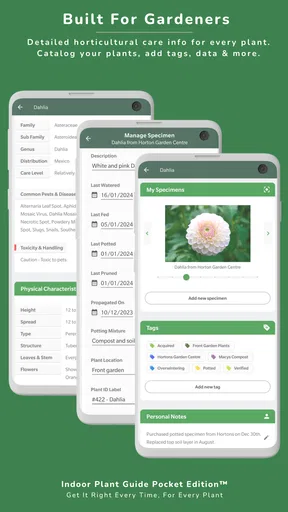
Gardeners who manage many plants with different locations may also want a tool built around personal records. Tracking dates, growth, repotting, or fertilizer applications can become important in a larger collection. I would not assume that a reference guide alone can replace a notebook or a dedicated tracking system. For that user, the app could still serve as a reference, but it would be only one part of the setup.
Likewise, people who need region-specific outdoor advice should be careful about relying on general guidance without considering their local conditions. Outdoor plants respond to climate, soil, exposure, and seasonal timing. The app’s coverage of garden plants is useful as a broad reference, but local horticultural sources may be the better choice when a decision depends heavily on weather or regional practice.
The small cost and the real switching decision
The $2.99 price changes how I judge the app. Since it is a one-time purchase rather than something I would evaluate as an ongoing subscription, I ask whether I will return to it often enough to justify keeping a dedicated reference on my phone. For a person with several plants or a beginner who wants a stable starting point, that is a modest cost for reducing guesswork.
For someone with only one hardy plant and strong existing knowledge, the purchase may be less compelling. Free web resources could cover occasional questions, especially if the user is comfortable separating dependable advice from contradictory suggestions. The app makes more sense when convenience and consistency matter more than having the widest possible collection of sources.
Switching to it is relatively easy because it does not require me to abandon another method. I can keep using a notebook, reminders, or a browser and open the guide when I need a second opinion. That makes the decision less about replacing an entire system and more about adding a focused reference. The trade-off is that I may end up with several tools unless I decide which one handles each task.
My practical advice is to define the job before buying. If the job is “help me understand basic care for a range of plants,” the app is a sensible candidate. If the job is “automatically manage a large collection, diagnose every disease, and adapt advice to my local climate,” I would look for a more specialized combination of tools instead.
Details that make the guide more useful in practice
One useful approach is to treat the app as a pre-action checklist. Before watering, I would review the plant’s needs and then inspect the soil rather than following a calendar blindly. Before moving a plant, I would consider whether the change in light could be too abrupt. Before buying a new specimen, I would compare its care demands with the room where it will live. These small pauses can prevent the common mistake of applying the same routine to every pot.
A second insight is to use the guide comparatively. I would not read one plant entry in isolation if I was choosing between two plants for the same space. Looking at their care expectations side by side can reveal which one fits my habits better. The easier plant is not always the most attractive one, but it is often the one I am more likely to keep healthy.
A third is to separate recovery from long-term care. When a plant looks unhealthy, I would use the guidance to identify the routine it should receive once stable, but I would avoid making several corrections at once. Changing light, watering, soil, and position together makes it impossible to know what helped. The app is most effective when it supports a measured process rather than a frantic rescue attempt.
I would also keep my own short notes alongside the guide. Even a simple record of where the plant sits, when the soil was last checked, and what changed recently can make general care advice much more personal. This is an important trade-off: the app gives me a reference, while my observations supply the context that no general guide can know automatically.
Who should download it, and who should skip it?
I recommend it to new plant owners who want more structure than scattered online advice provides. It is also a good match for people caring for a mixed collection of indoor plants, flowers, and garden plants, especially when they want one compact reference instead of several separate sources.
I would recommend it to a friend who often asks, “Should I water this now?” but does not want a complicated gardening system. The low entry cost, Everyone age rating, and support for Android 6.0 or later make it accessible to a broad range of users. I also think it suits gift recipients who are beginning to build confidence with plants and need guidance that is available whenever a question appears.
I would skip it if I wanted a social community, detailed personal logging, automatic task management, or highly localized horticultural planning. I would also skip it as a sole authority for severe pest outbreaks or advanced cultivation. In those situations, specialist books, extension services, experienced gardeners, or targeted diagnostic resources may provide more depth.
My recommendation after using it
Indoor Plant Guide Pocket Ed. succeeds because it addresses a real everyday problem: plant care advice is easy to find, but harder to apply calmly and consistently. Its broad plant focus makes it more versatile than a narrow indoor-only reference, while its compact format is more convenient than reaching for a large book whenever a leaf changes color.
It is not a replacement for observation, local knowledge, or a full plant-management system. Its guidance should be used thoughtfully, particularly when symptoms have several possible causes. Still, I found its role clear: it is a paid pocket reference for making better first decisions, preventing unsuitable plant choices, and building a more deliberate care routine.
At $2.99, I think it is worth considering if you own several plants, are still learning the basics, or want a dependable alternative to random web searches. Experienced gardeners may find it too limited as a primary resource, but they can still use it for quick checks. My final recommendation is positive for casual and developing plant owners: choose it when you need practical guidance more than automation, community, or specialist diagnosis.
Pros
- Simple plant-care tips are easy for beginners to understand.
- Useful reference for identifying common indoor plants.
- Compact format makes it convenient for quick lookups.
- Can help organize basic watering and light requirements.
- Suitable for casual users who want low-effort plant guidance.
Cons
- Information may be too basic for experienced plant owners.
- Advice may not cover unusual species or difficult growing conditions.
- Care recommendations can vary by home climate and indoor lighting.
- Limited troubleshooting may leave serious plant problems unresolved.
- Users may need another source for pet-safety and toxicity details.
FAQs for Indoor Plant Guide Pocket Ed.
What is Indoor Plant Guide Pocket Ed.?
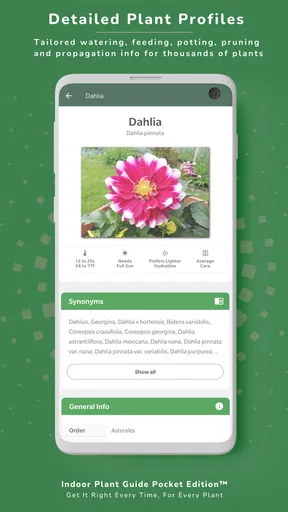
Indoor Plant Guide Pocket Ed. is a mobile reference app designed to help users identify and care for common houseplants. It typically provides plant profiles, growing information, watering guidance, light requirements, and practical maintenance tips. The app is especially useful for beginners who want a convenient guide available on their phone instead of relying on printed books or scattered online sources.
What information does the app provide for indoor plants?
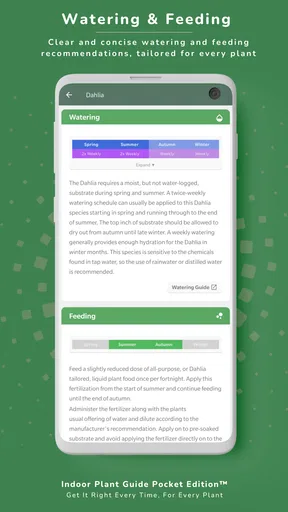
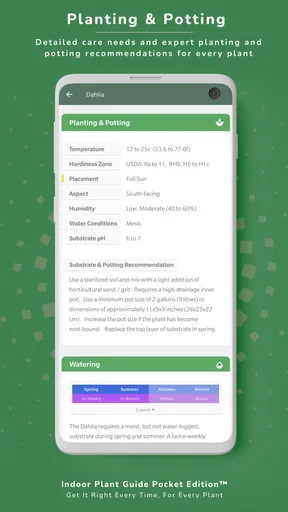
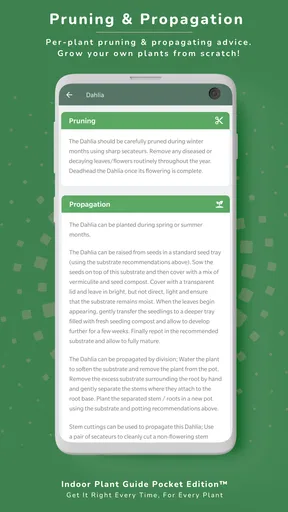
The app focuses on the essential details needed to keep indoor plants healthy. Depending on the selected plant, users can usually find information about recommended lighting, watering frequency, soil preferences, temperature, humidity, feeding, propagation, and common problems. These instructions are helpful as a starting point, although individual plants may still require adjustments based on the home environment and season.
Is Indoor Plant Guide Pocket Ed. suitable for beginners?
Yes, the app is aimed at people who are new to indoor gardening as well as users who want a quick plant-care reference. Its organized plant entries and straightforward recommendations make it easier to understand basic care routines without specialist knowledge. Beginners should still read each profile carefully, since overwatering, unsuitable light, and poor drainage can affect plants even when general advice is followed.
Does the app identify plants using the phone camera?
Indoor Plant Guide Pocket Ed. is primarily presented as a plant-care and reference guide, so users should not automatically expect advanced camera-based identification features. Its usefulness comes from browsing plant information and consulting care instructions. If you need instant recognition from a photograph, you may need a separate identification app, while this guide can then help you understand the plant’s ongoing care requirements.
Can I use the app without an internet connection?
Offline availability may depend on the version and how the application stores its plant profiles, so users should check the app listing and test the guide after installation. Some reference content may remain accessible without a connection, while updates, external links, advertisements, or additional downloads could require internet access. Downloading or opening the main content on Wi-Fi is recommended before relying on it offline.


